
Improving Workflow Efficiency in SMT’s Roof Analytics Platform
The Problem
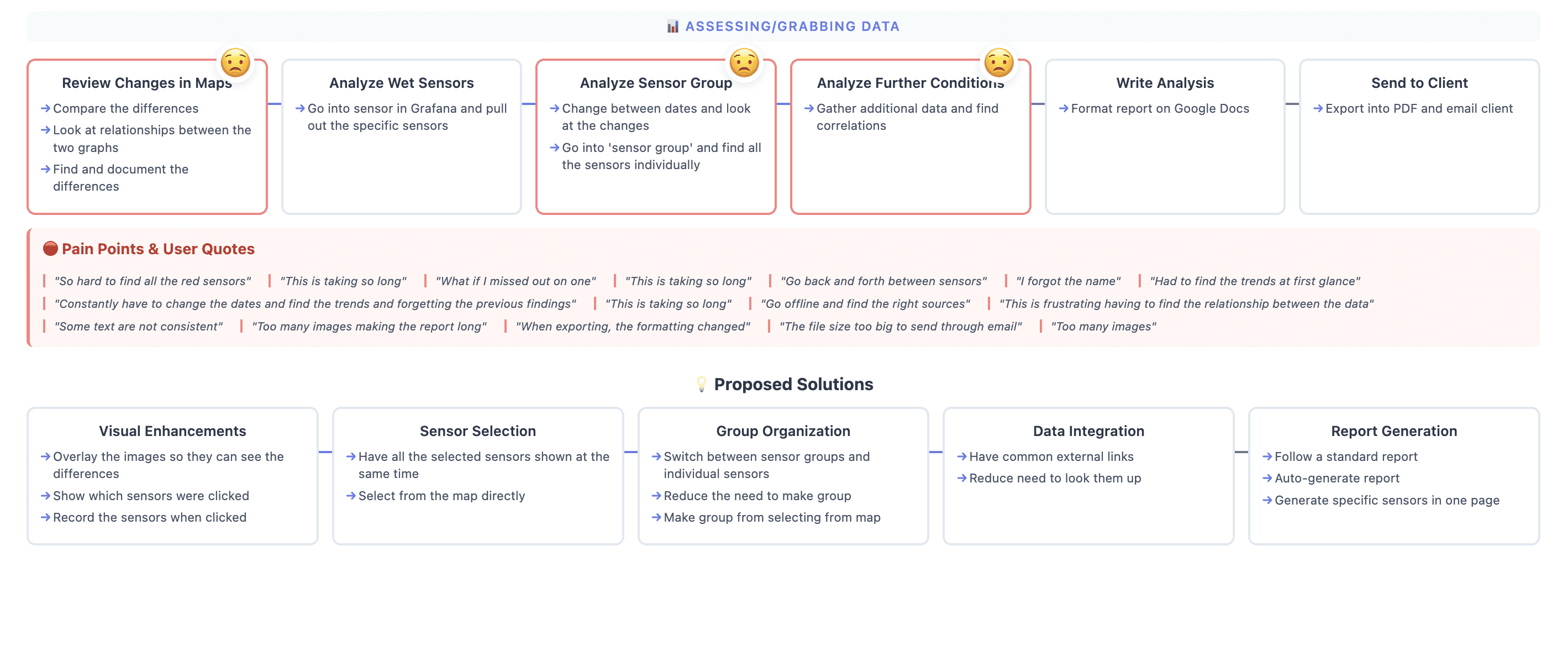
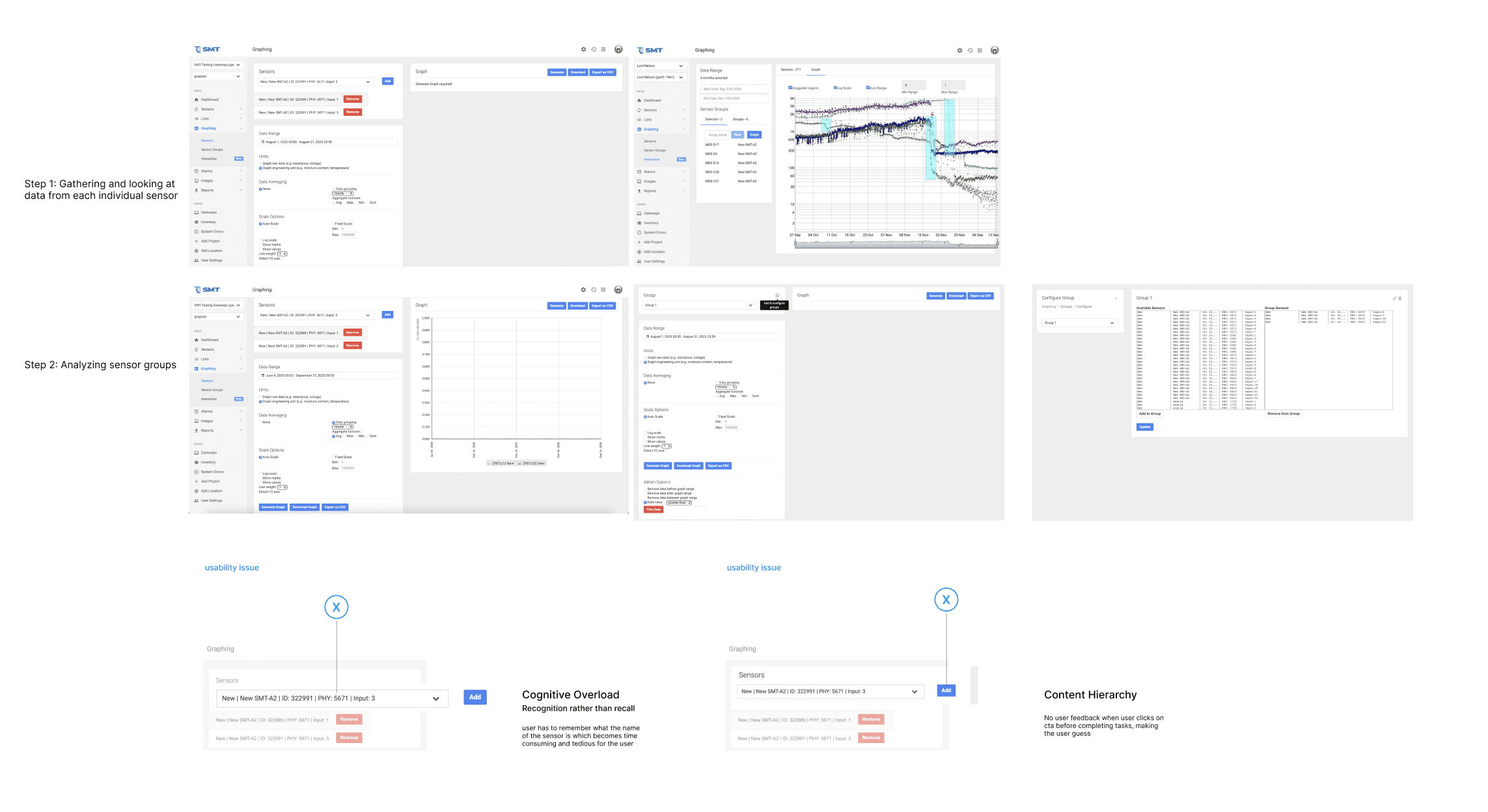
The tool was outdated, very manual, and slow. Technicians had to jump between multiple tabs just to configure graphs, analyze moisture levels, and generate reports, which made the workflow fragmented and time-consuming
The Role
My role was to run user testing, map out the technician workflow end-to-end, and redesign the interface to make data analysis and reporting more efficient.
Key Insights
The platform needed a unified workflow that reduced back-and-forth navigation.
A visual method of selecting roof areas would decrease reliance on memory and improve accuracy.
A mobile-optimized dashboard was critical since many technicians worked in outdoor environments.
Report creation should be directly integrated into the data-analysis flow to eliminate duplicated effort.
User Testing & Workflow Analysis
I conducted end-to-end workflow walkthroughs with multiple technicians to understand how they used the platform on real projects.
Key Insights
The platform needed a unified workflow that reduced back-and-forth navigation.
A visual method of selecting roof areas would decrease reliance on memory and improve accuracy.
A mobile-optimized dashboard was critical since many technicians worked in outdoor environments.
Report creation should be directly integrated into the data-analysis flow to eliminate duplicated effort.
The Solution
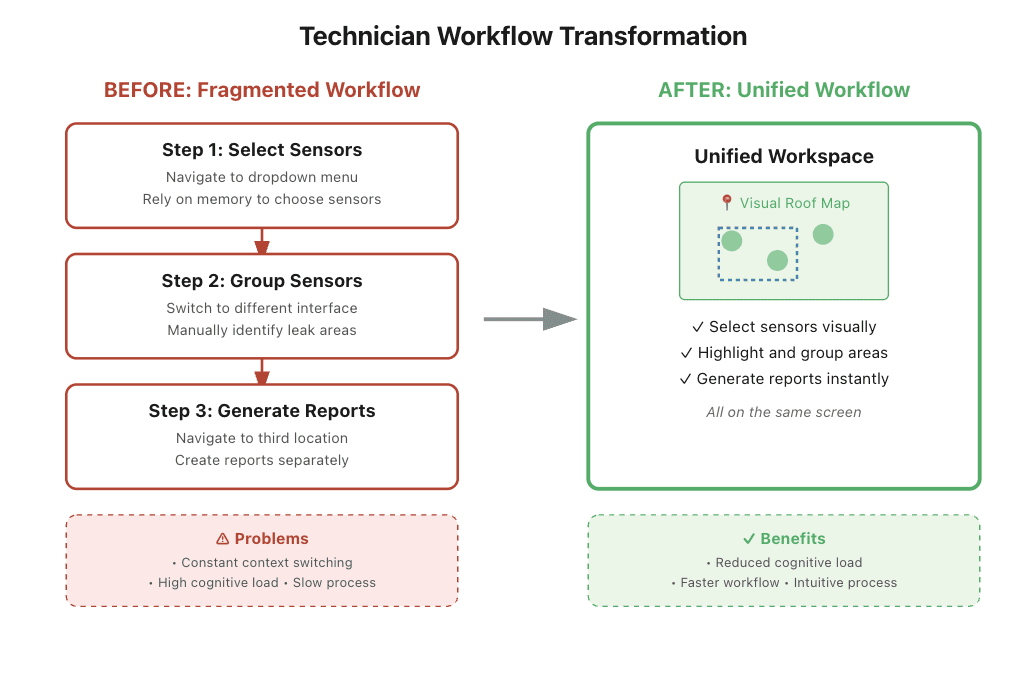
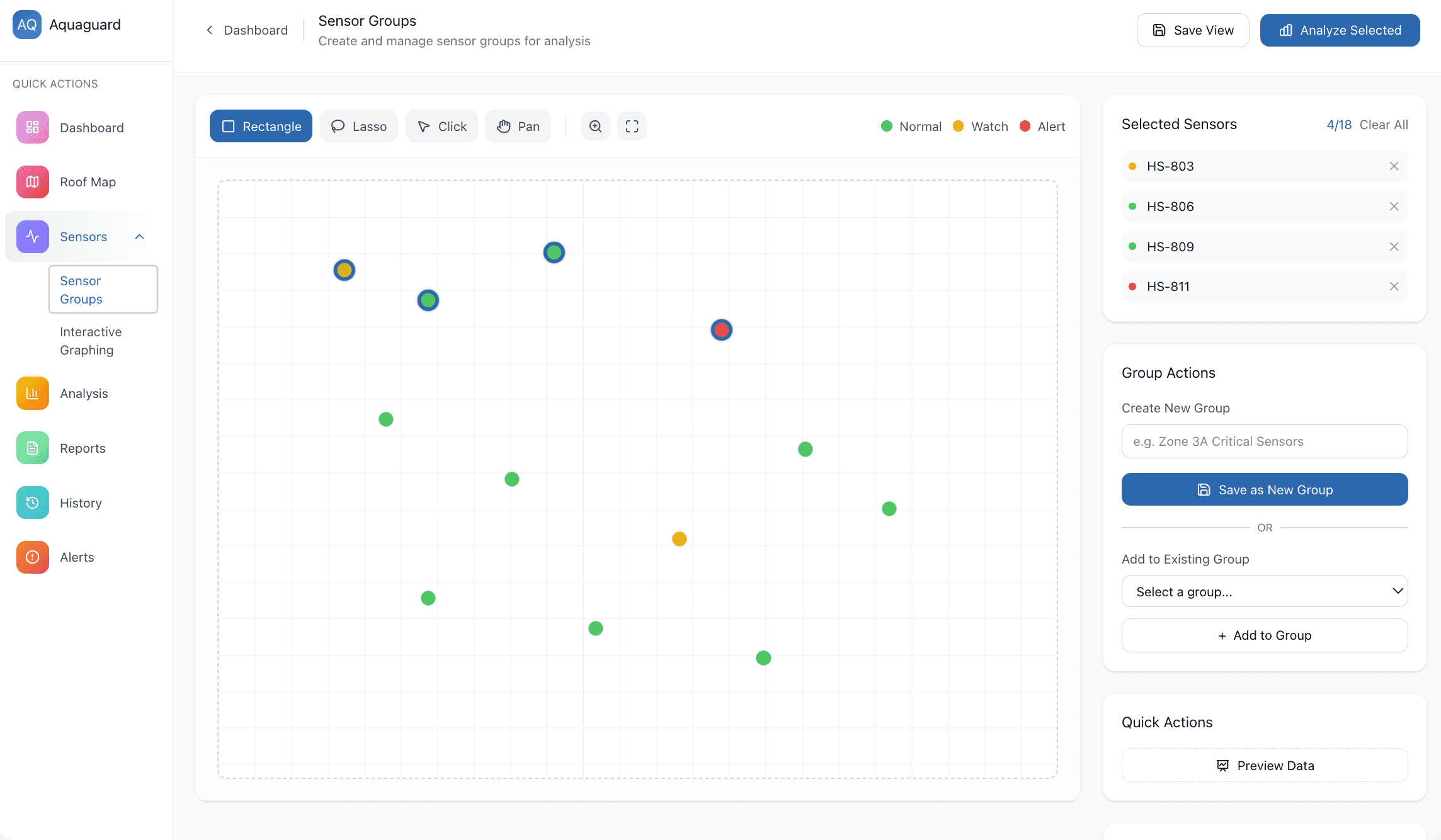
My solution consolidates everything into one intuitive interface with a visual roof map so technicians can now select, group, and report on sensors without ever leaving the screen. This streamlined approach reduced cognitive load and made their daily work faster and more efficient.
Mobile-Optimized Dashboard
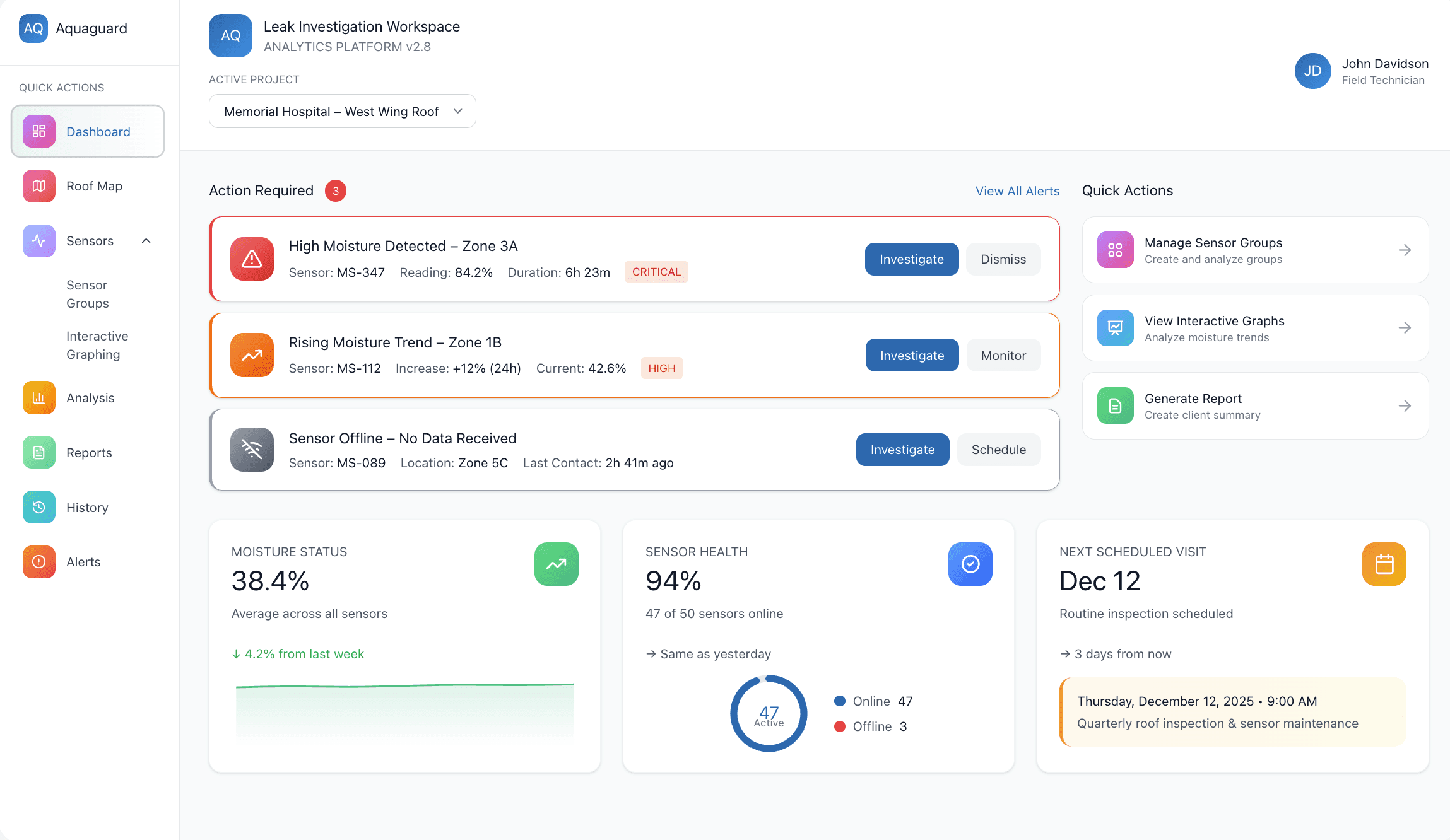
The dashboard was redesigned using large, high-contrast cards to surface project statuses, action items, and commonly used features. This supports technicians working outdoors and provides a clearer overview of priorities.
Unified Analysis Workspace
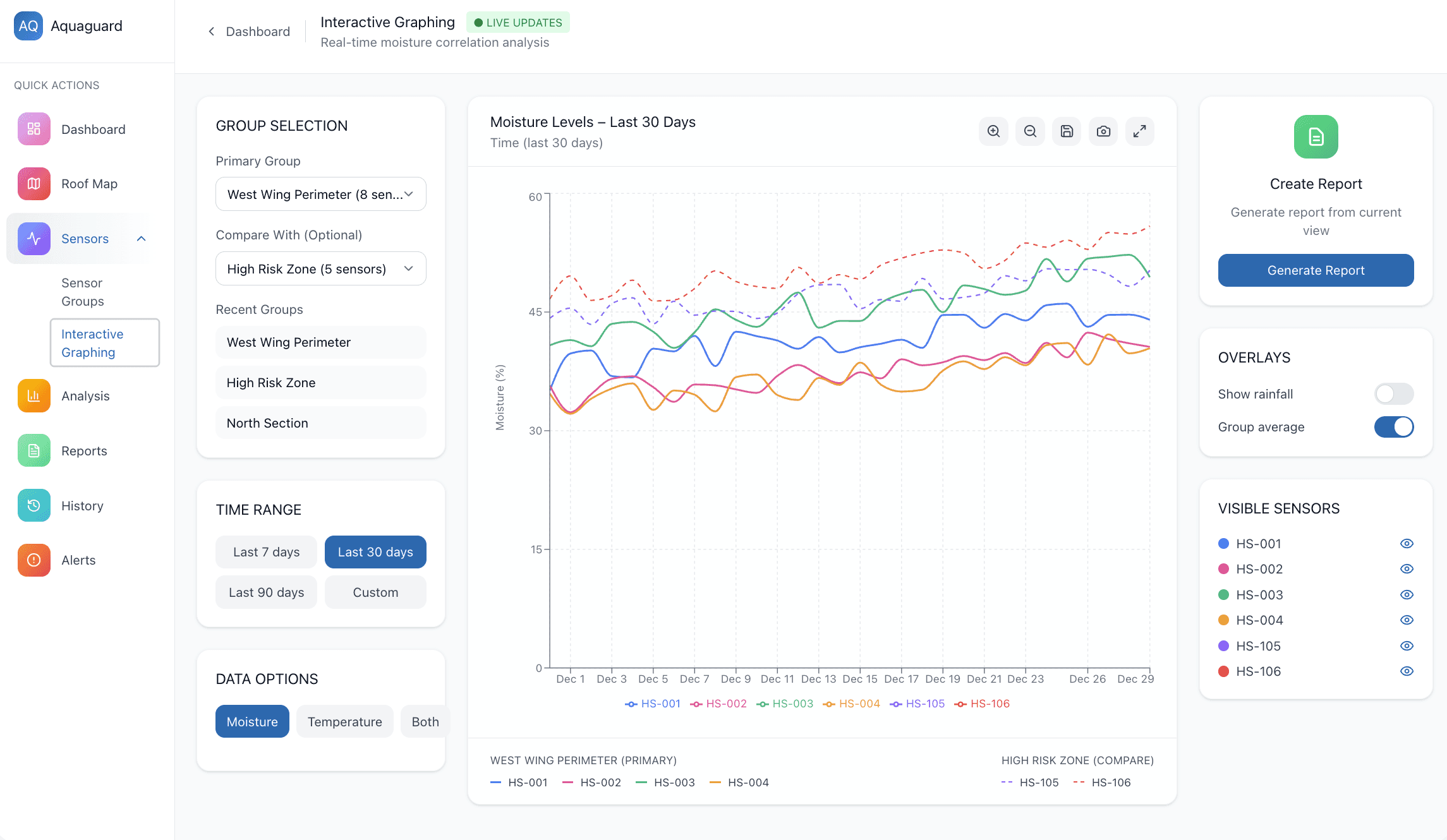
I redesigned the moisture-analysis feature so technicians could select sensor areas, create groups, and analyze data all in one place. This replaced the old multi-tab system and reduced the number of steps required to begin analysis.
Report creation was built into the same interface where technicians fetch and analyze data.
This eliminated the previous need to re-enter information in a separate tab, significantly reducing duplicate work.
Key Decisions
Visual Selection replaces complex dropdowns with direct interaction on a roof map, leveraging spatial memory so technicians can work the way they think—by location, not by code.
Reducing Cognitive Load keeps the user's focus on pattern recognition instead of interface commands and supporting rapid, exploratory thinking.
Unified Workspace consolidates scattered tools into a single screen, eliminating disruptive context switches and reducing the mental effort of navigating between tasks.
Results
The redesign led to a measurable improvement in efficiency, with report-generation time reduced by approximately 75%.
Technicians reported that the new workflow felt more intuitive and allowed them to focus more on diagnosing issues rather than navigating the software.